Compare outlet spacing, protection indicators, ratings, and everyday access before buying a desk power accessory.
Start by counting the awkward adapters
A desk can have a laptop charger, monitor, lamp, speakers, and a phone adapter competing for two wall outlets. A surge protector may help organize suitable equipment, but counting sockets is only the beginning. Lay out the actual plugs and power bricks before shopping. Identify which items must stay connected and which are occasional visitors. The useful purchase is one that accommodates your real arrangement, has appropriate ratings, and stays accessible. An accessory with many outlets can still be frustrating if two bulky adapters prevent the rest from being used.
Distinguish more sockets from surge protection
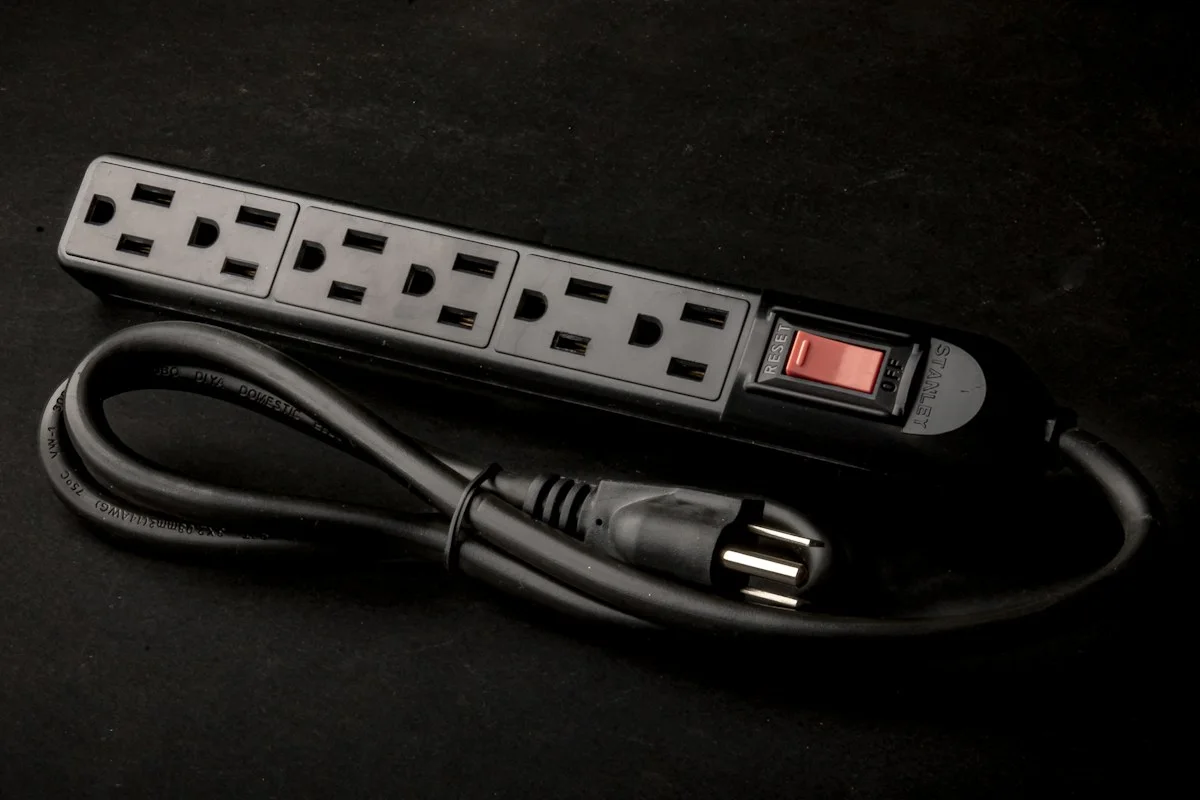
An ordinary power strip primarily gives you additional connection points. Surge-protection claims involve additional specified features, so read the exact product description and documentation. Do not infer protection from the shape of the casing or the presence of a switch. A protector is also different from an uninterruptible power supply, which can provide temporary battery power for suitable equipment. Decide which problem you are addressing: plug access, transient protection, or continuity during an outage. Buying one category in response to another problem can leave you with more equipment and the original frustration still present.
Read the electrical details
Check the rated voltage, current, total load, and intended use against your location and connected devices. Use manufacturer instructions to determine what is permitted. A desk accessory is not a reason to connect demanding heating appliances or equipment outside its specified purpose. Do not daisy-chain strips or treat an available socket as evidence that every possible combination is acceptable. If the wall outlet is loose, damaged, or otherwise concerning, address that issue through an appropriate qualified professional. A new power accessory cannot repair the underlying electrical installation or make an unsuitable outlet arrangement appropriate.
Make space for the whole plug
Look at outlet spacing and orientation, including where large adapters extend beyond their sockets. Consider the direction the cord leaves the strip and whether the wall plug fits behind furniture without pressure. Measure the distance to the wall outlet rather than choosing a cord length from memory. Allow a safe route that does not create a trip hazard or become pinched by moving furniture. If you plan to mount the protector, verify that its instructions permit the mounting method and that switches and indicators remain visible. Access matters when equipment needs to be disconnected promptly.
Understand indicators and replacement guidance
A light can indicate different things on different models. Read the manual so you know whether a particular indicator relates to power, protection status, or another condition. Follow the manufacturer's guidance if protection is no longer available or the accessory is damaged. Do not assume a unit remains protective simply because connected equipment still receives power. Inspect the cord and casing during routine desk cleaning, and keep the documentation or model number available. If there is a warranty or connected-equipment policy, read the conditions and exclusions rather than treating a headline coverage figure as a promise covering every situation.
Choose features you will use
USB charging ports can reduce the number of separate bricks on a desk, but check connector type, supported charging methods, and shared-power limits. A built-in port can be convenient for a phone while still being unsuitable for a laptop. If your devices change frequently, a separate replaceable charger may be more flexible. Belkin's official collection is a starting point for comparing layouts and product specifications. Evaluate the exact model against your plug arrangement, location, and rated load. Prefer clear documentation and appropriate certification for your market over decorative features that do not change the practical fit.
Questions before buying
Does a surge protector provide backup power? No. If maintaining operation during a power interruption is the objective, investigate an appropriately sized uninterruptible power supply and its requirements.
Can I use my domestic strip abroad? Do not assume so. Match the unit's electrical ratings and regional approvals to the destination, and check accommodation or transport restrictions. A plug adapter alone does not establish compatibility.
When is a bigger unit worthwhile? When the additional suitable outlets or spacing serve equipment you actually connect. Leave room for access and ventilation, but avoid expanding the setup merely because unused sockets are available. Review the arrangement whenever new equipment changes the load or blocks an important control.
Explore the options
Compare the exact model, included accessories, return policy, and current price before buying. These links open official brand websites.
Belkin surge protector collection
Compare outlet layouts and protection features for a desk setup.
Tradeoff: Model ratings, warranty conditions, and country compatibility require individual review.
Explore Belkin surge protector collection ↗Sources & further reading
Primary references consulted October 30, 2026. Product ranges and availability can change.
Cover photography illustrates an everyday setting and may show equipment other than the examples discussed. Read our methodology.